




Flox Account Tokens for People and Machines

Today we are announcing two new credentials for FloxHub: service account tokens and personal access tokens. These improvements give automation an identity model of its own, separate from the people who build it.
Signing a person in and authenticating a pipeline are two different jobs. A personal access token authenticates a person and grants that person's access. A service account is a machine identity the organization owns, with its own name, access level, and tokens.
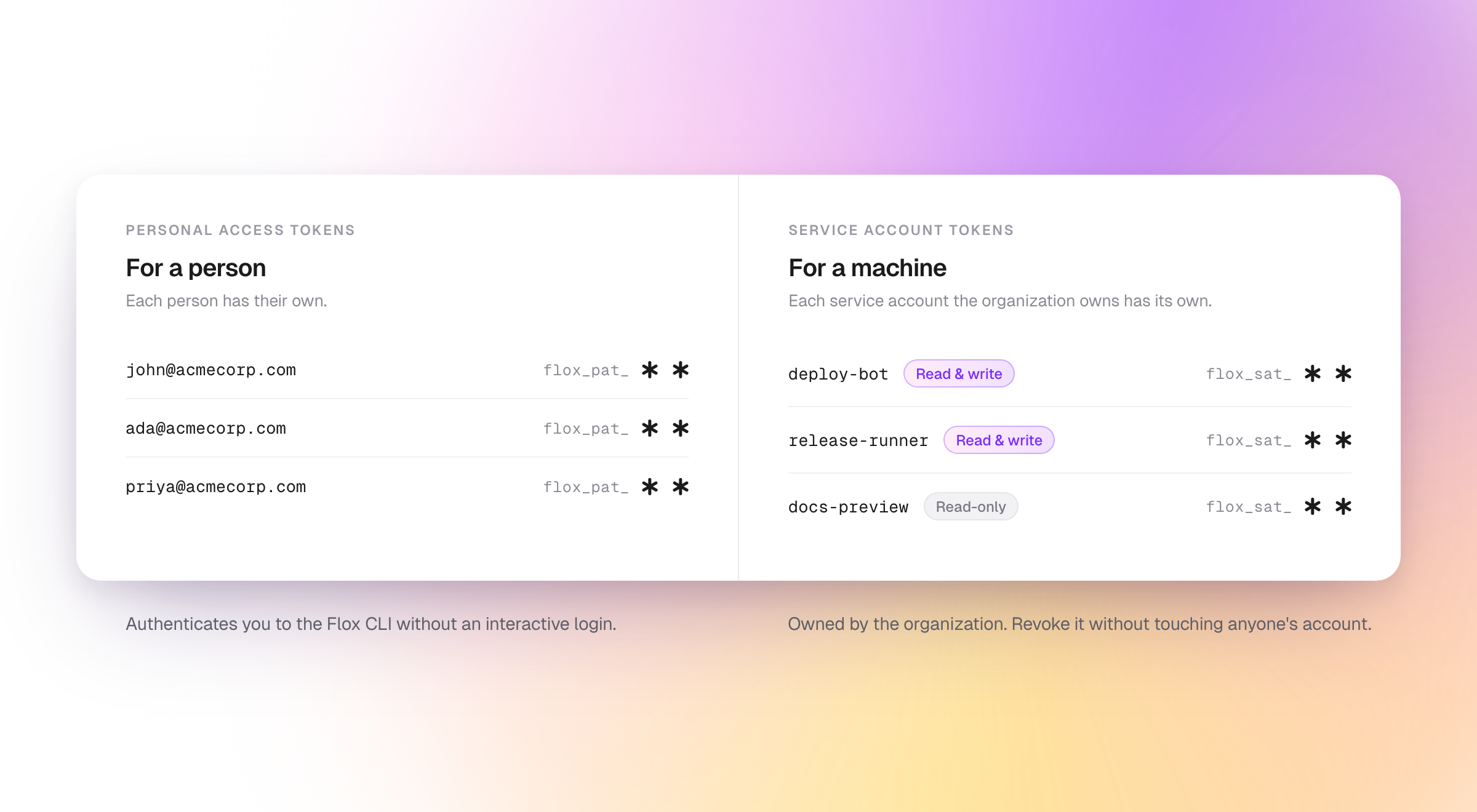 One credential for a person, one for a machine.
Together, these credentials allow organizations to:
- Reduce the blast radius of an exposed credential: A service account is granted only the access its automation needs, and revoking its token leaves everyone's personal access untouched.
- Keep pipelines running through staff changes: Service accounts and their tokens belong to the organization, so they keep working when the person who created them leaves.
- Rotate credentials on a schedule: A service account can have more than one live token, so rotation no longer needs a maintenance window.
- Distinguish machine traffic from human traffic: Service account tokens resolve to the automation that used them, not to a person.
- Authenticate as yourself without a browser: A personal access token stands in for an interactive login wherever one is not possible.
The new token formats need Flox CLI 1.14.0 or newer.
If you are new to Flox and want to learn more, take look at this short intro or take it for a spin using this short guide.
How Service Accounts Work
For a team running Flox in CI, this split changes which credential a pipeline authenticates with, and what an organization can do with that credential after it is issued.
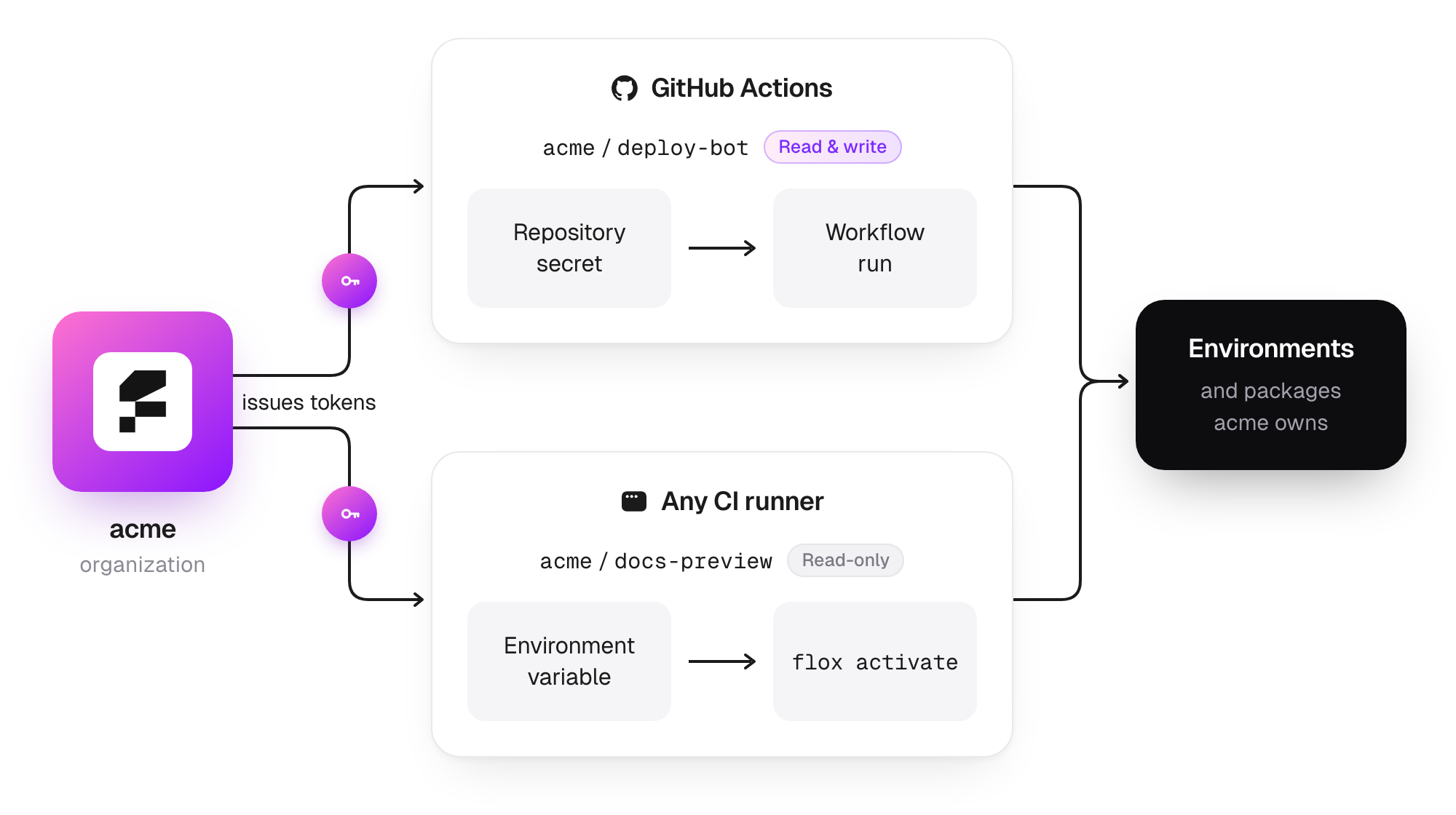 Each pipeline authenticates as its own service account, at the access level that account was given, rather than as whoever set it up.
An Identity the Organization Owns
An organization creates a service account, names it after the job it performs, and picks its access level. Read-only service accounts can pull the organization's environments and packages. Read and write service accounts can also push environments and publish packages. The access level sits on the service account and covers the whole organization, so its access cannot be narrowed to a subset of packages or environments.
The service account belongs to the organization, not to the person who created it, so removing that person leaves it and its tokens working. A service account is granted one of those two access levels and nothing higher, so it cannot be made an owner, manage members, or create further service accounts.
Unlike service account tokens, a personal access token is tied to a specific individual and retains the same access as that individual. Once that individual is removed, that token stops working.
Revocation and Rotation Without Downtime
Until now, Flox users copied tokens from their own flox auth token interactive CLI sessions for non-interactive use cases. Those CLI authentication tokens have a limited, fixed duration and are not easily revoked or updated.
Now both personal and service credentials can be revoked. Revoking a token takes effect on the next request, and deleting a service account revokes every token issued to it. Tokens can be configured with a fixed lifetime: 30 days, 90 days, one year, or no expiration. The default is 30 days.
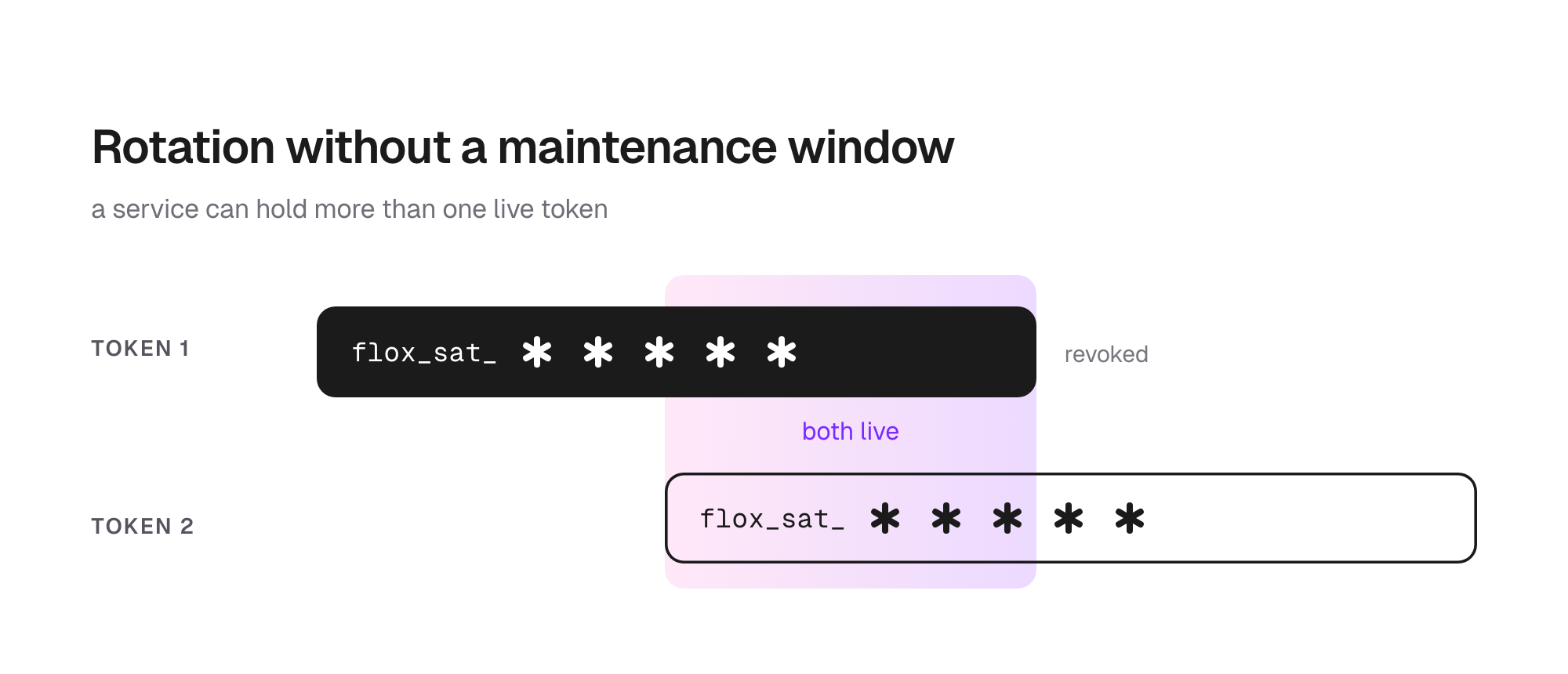 Both tokens are live through the handover, so the pipeline never runs without a valid one.
As more than one active token can be created, rotation doesn’t require an all-at-once cutover. For example, an organization can issue a replacement token while an existing token remains valid, then revoke the old token after FloxHub shows it is no longer being used. The automation pipeline holds a valid credential during the handover.
Getting Started
Both credentials are created in FloxHub, and only there: service account tokens are issued from the appropriate organization page and personal access tokens are issued from the user’s profile page.
From the organization page, an owner adds a service account, sets its access level, and issues its tokens. Each token is shown once, so it should go straight into a secret store, where its flox_sat_ prefix distinguishes it from a personal access token.
Pipelines supply the service account token through FLOX_FLOXHUB_TOKEN, the same variable the Flox CLI has always read. In GitHub Actions that is a single env entry pointing at a repository secret.
jobs:
  test:
    runs-on: ubuntu-latest
    env:
      FLOX_FLOXHUB_TOKEN: ${{ secrets.FLOX_SERVICE_TOKEN }}
    steps:
      - uses: flox/install-flox-action@v2
      - uses: flox/activate-action@v1
        with:
          environment: acme/ci
          command: make test
See Integrating Flox with CI for an overview of how you can set up CI pipelines that automatically run, build and validate your Flox environments.
Create service accounts and service account tokens → https://hub.flox.dev
Read the docs → https://flox.dev/docs/concepts/service-accounts
Personal access tokens are for users who need to authenticate the Flox CLI without completing the usual interactive browser-based login flow: for example, if you’re working over SSH, inside a container, or in another browserless environment. They are also useful if you’re an individual developer and you need to authenticate a CI run under your own identity: for example, by testing something you've built in GitHub Actions or GitLab CI that you can’t reproduce locally. To use them, just write the token to a file and pass it to flox auth login.
flox auth login --token-file ./token
flox activate -r acme/backend
Create a personal token → https://hub.flox.dev/profile
Read the docs → https://flox.dev/docs/concepts/personal-access-tokens